Why are construction companies targeted by phishing?
Construction companies are targeted by phishing because projects involve large payments, many parties and frequent changes to payment details. A general contractor pays suppliers, subcontractors and vendors on tight schedules. A phishing email can hide inside that normal flow. The sender may claim to be a supplier with a new bank account. The message may ask for an invoice to be approved before a draw. Staff often read these messages on phones at job sites. That pressure makes it harder to stop and verify.
Subcontractors face the same problem from the other side. They wait for payment from a general contractor or owner. A fake email about retainage or a revised payment schedule can look like good news. The goal is usually to steal a payment or a password. OutPhish uses phishing training for construction companies to give your team practice with these situations in a safe test. The platform writes simulations based on your services, software, locations and leadership. You can edit that profile any time.
Builders and construction offices need to train more than accounts payable. Project managers, site supervisors and office staff all receive email. A field supervisor may approve a change order from a phone. Training should show them what a fake shared document link looks like. OutPhish records each person's response and gives instant feedback. A weekly test schedule keeps the habit fresh.
Construction offices can also face phishing through shared document links. A message may say that a set of drawings or a request for proposal is ready to view. The link leads to a fake sign-in page. The attacker captures the email password and then uses the inbox to send fake invoices to clients. This is why training must cover common lures, not just payment requests.
How do invoice scams target contractors?
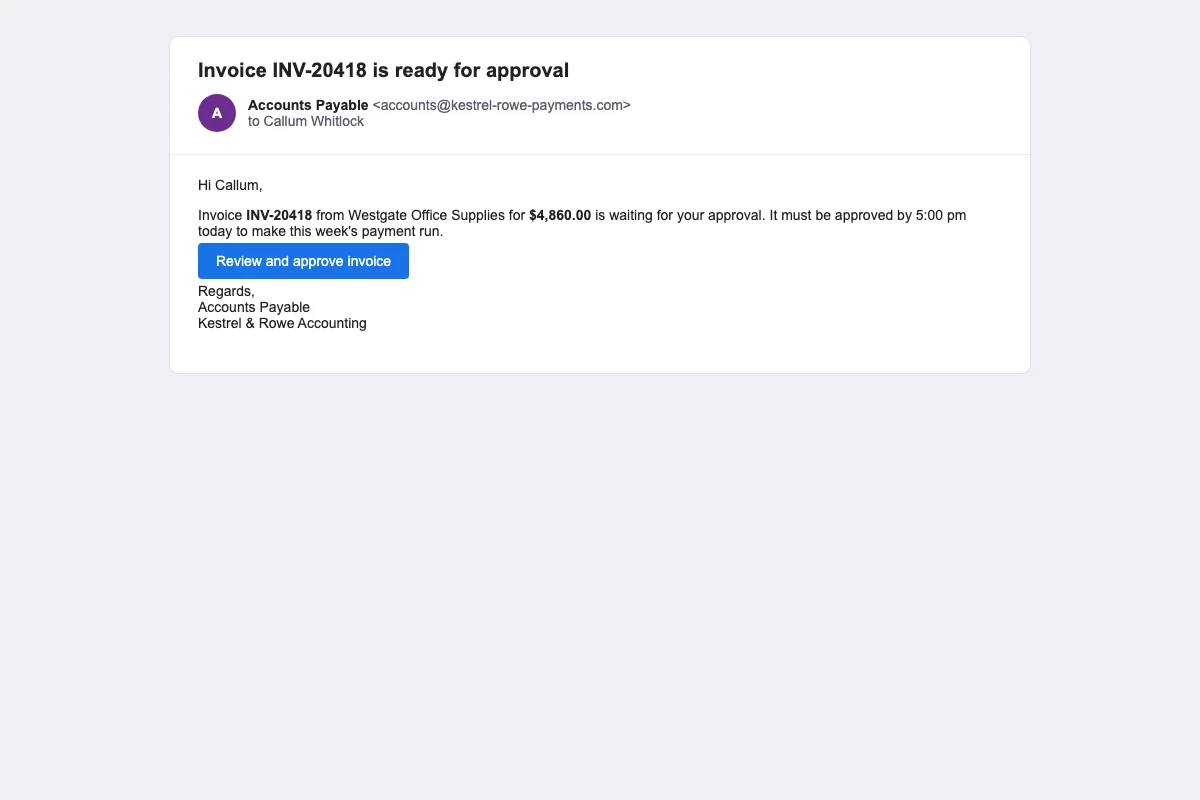
Invoice scams target contractors with fake or altered supplier invoices. The email may copy the format of a real invoice and add a note that payment is due before 5 pm. The bank details may be changed. If the accounts team does not verify the change, the payment goes to the attacker's account. Another version asks the contractor to change a subcontractor's bank details. The request may come from an email address that looks close to the real one. A third message pretends to come from a project owner, general contractor or lender and asks about draws or retainage. Shared document lures then steal email passwords. The goal is to gain access to the inbox and repeat the scam with real vendors.
Contractors can reduce this risk with two simple controls. First, call the vendor or subcontractor on a phone number you already have on file to confirm any new bank details. Do not call the number in the email. Second, require two people to approve new bank details. These controls make it harder for one busy person to approve a fraudulent change. OutPhish can simulate each of these invoice scam patterns. A simulated email from Accounts Payable tests whether your team pauses before approving. A simulated vendor bank change tests whether they call the number on file. See phishing simulation software for how these tests are built.
Accounts payable teams are not the only target. A site supervisor may receive a fake shared drawing link. A project manager may receive a fake change order. Training should reach everyone who handles email on a project. OutPhish can set different difficulty levels by role.
Does CMMC require security awareness training?
Yes, CMMC Level 2 draws on NIST SP 800-171, a federal security standard that includes security awareness and training duties. Businesses that work with controlled unclassified information on US Department of Defense projects should check their contracts and advisers. On November 10, 2025, a federal acquisition rule started phasing CMMC into defense contracts. That means some construction companies may see CMMC clauses in new or updated defense contracts. OutPhish sends completion certificates and keeps per person training records that your office can download and share. Ask your compliance adviser what your contract asks for.
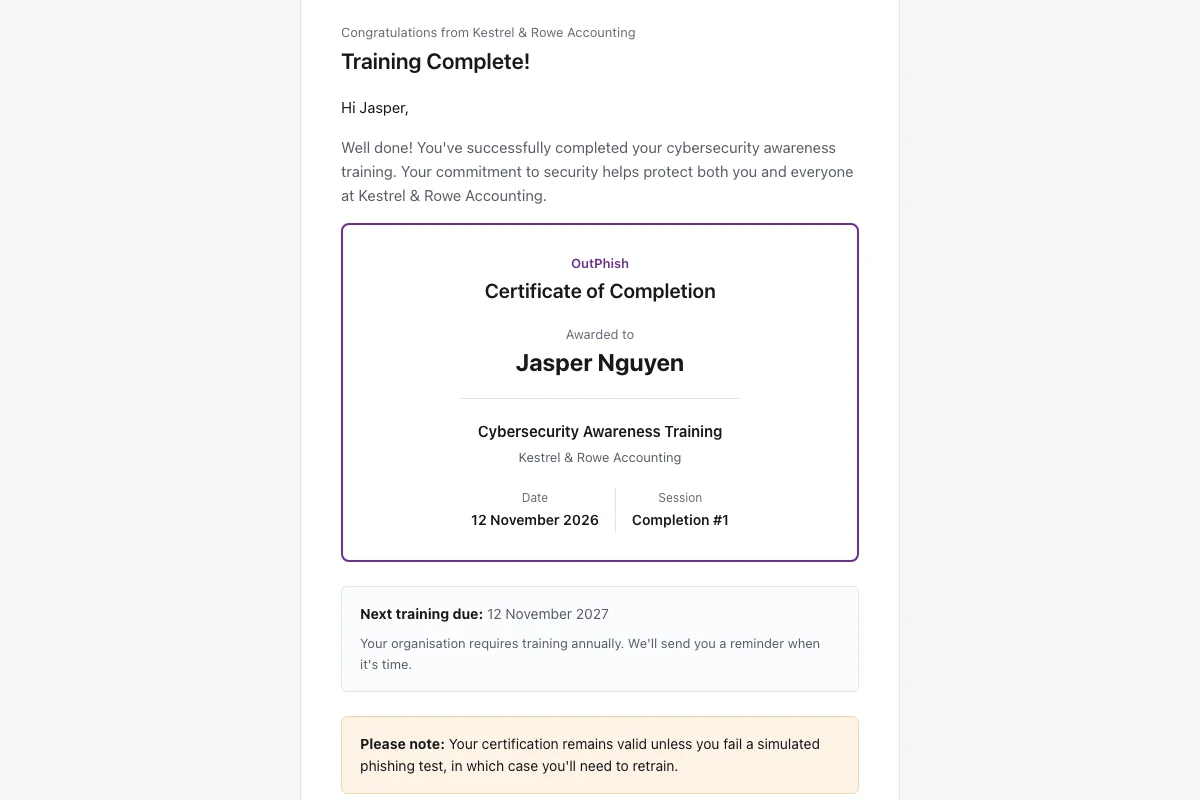
A practical step is to show that staff receive regular security awareness training. OutPhish schedules annual training and refresher training after a failed simulation. Each completion email includes a certificate. Administrators can download an audit record for each staff member. Your office can keep those certificates and audit downloads for insurer, auditor or client requests. Read security awareness training for more on module delivery.
Construction companies that work on defense projects can keep the certificates and audit downloads from OutPhish. Those records show when staff completed training and how they responded to simulated phishing. Your contract and adviser set the standard you need to follow.
How do you train field staff on phishing?
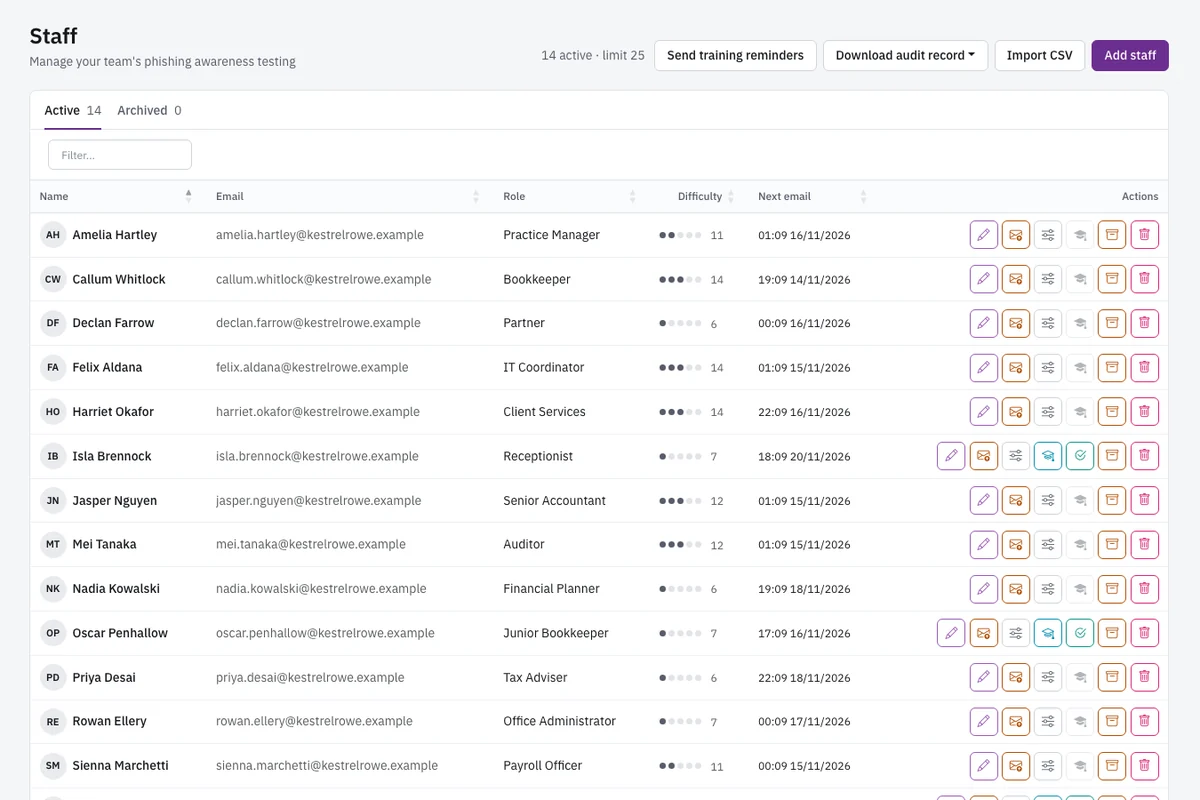
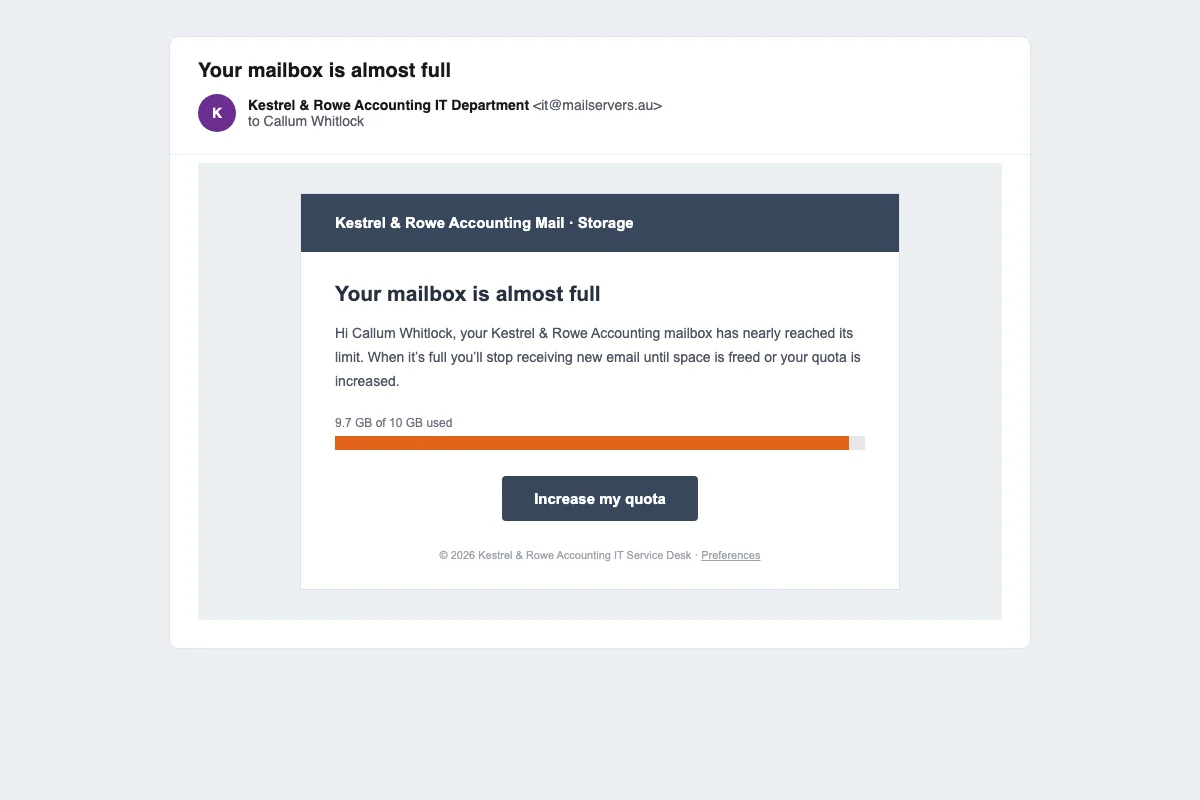
Train field staff with short, realistic tests that fit a phone. A project manager may not sit at a desk for long. Send simulations that look like the messages they already see: mailbox quota alerts and urgent invoice approvals. Keep the test short. OutPhish lets administrators choose the email platform style and tone. Each person gets a difficulty level that rises with each simulation and drops after a click. Multi stage simulations can mimic an attacker who replies to the staff member. That tests whether the person stays cautious through a conversation.
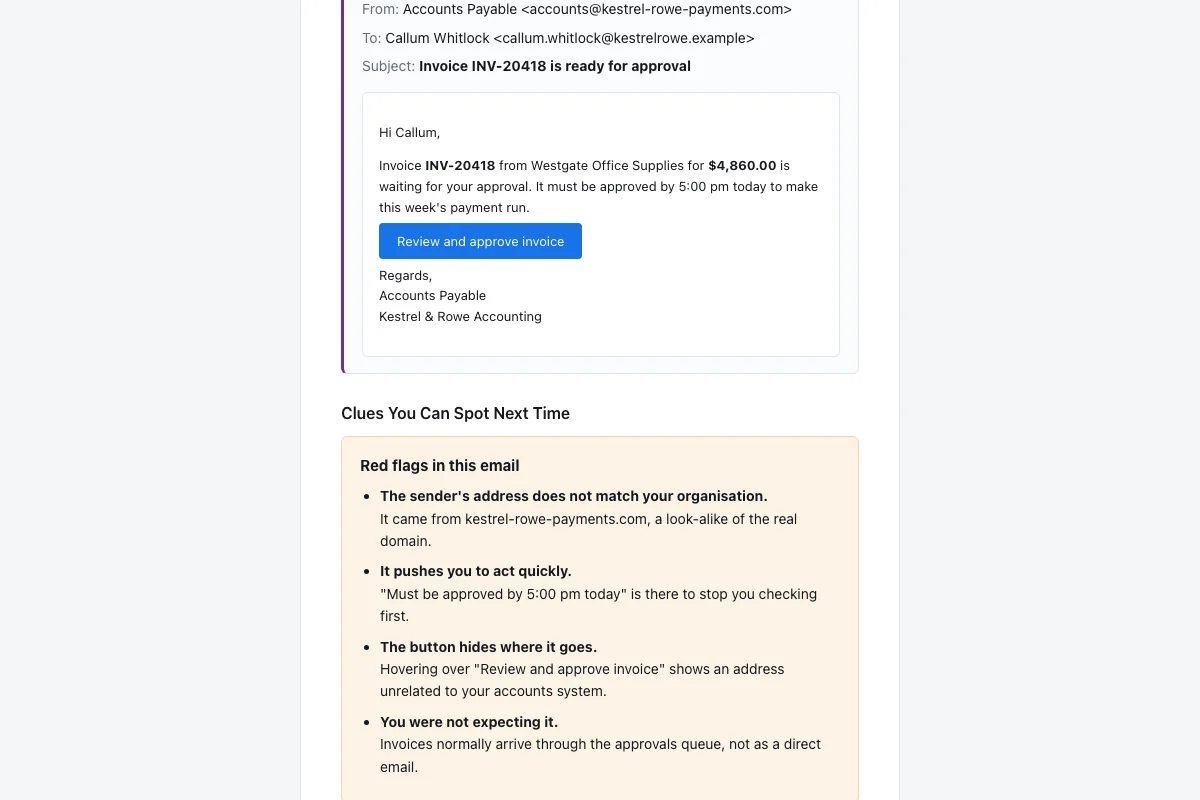
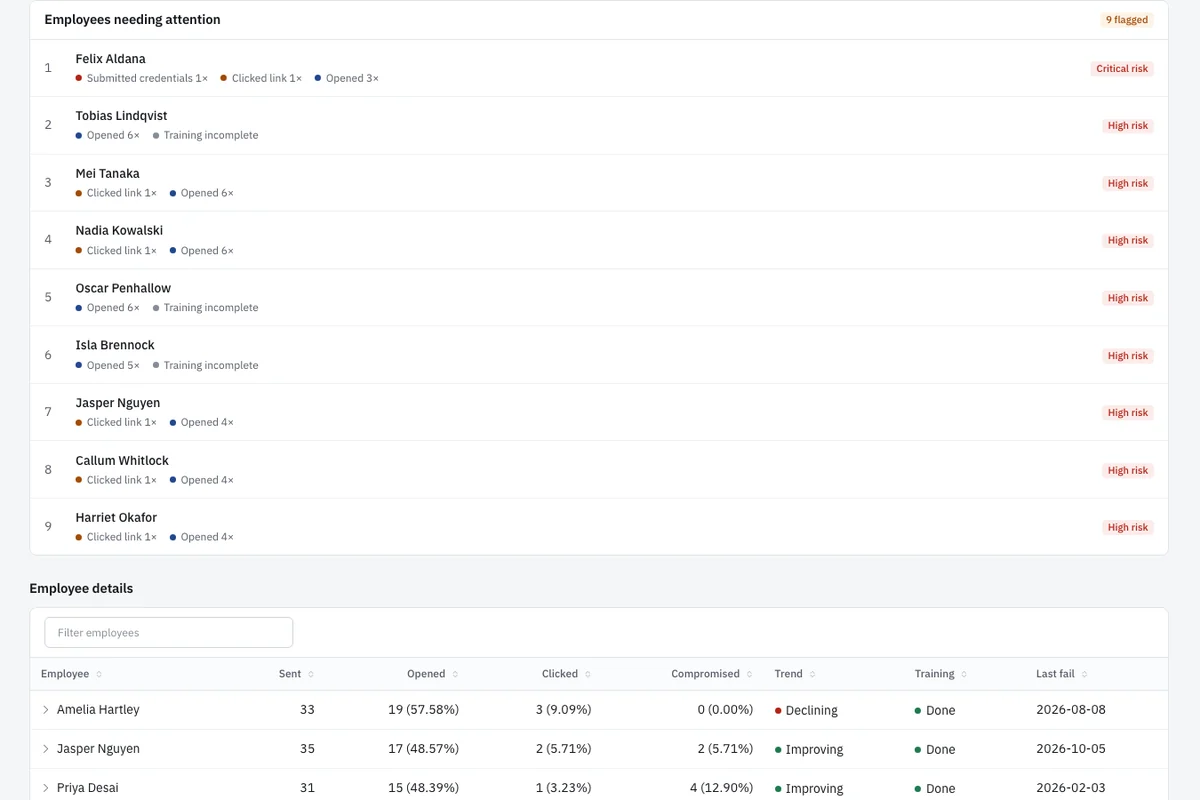
The feedback email after a click is the training moment. It shows the simulated email again and lists the red flags the person missed. The field staff member can review it on the same phone. Then they complete a short refresher. You do not need to pull crews into a classroom. OutPhish also shows which field staff need attention. A list shows clicked, opened, submitted or reported for each person. That helps you follow up with the right people.
Administrators can send reminders to people who have not finished training. The platform records only that a form was submitted on a simulated sign-in page, never what the person typed. That protects your staff and your project data.
Use the Free plan for up to 15 staff. No card needed. Larger crews can move to a paid plan based on staff count. Setup takes a few minutes and includes whitelisting steps to help simulations reach inboxes. You can start with office staff first and add field crews later. That gives a construction company a clear path to better email habits.