You want to know exactly what you are signing up for. This section covers the simulation types, your main controls, the cost, the setup work, and the risks of invoice fraud and payment fraud. You can use business email compromise training to build a habit of checking before payment.
What should you expect from BEC simulations?
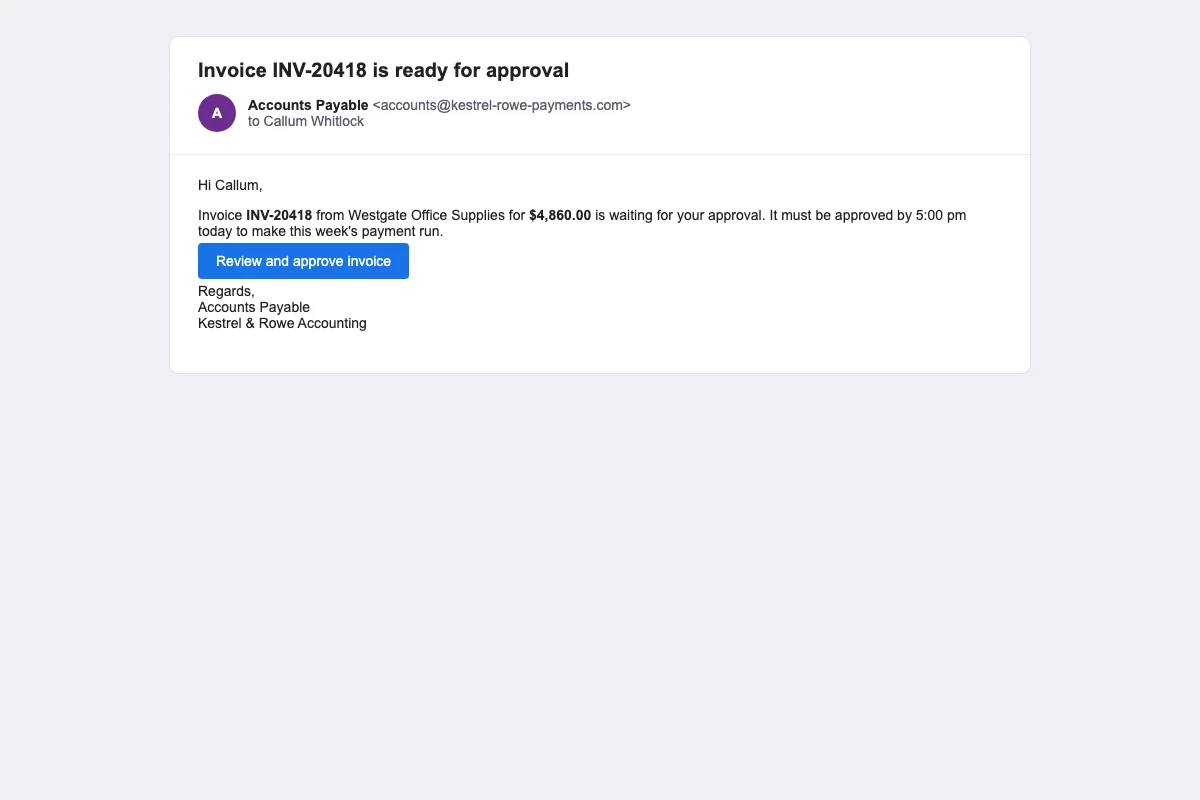
OutPhish sends simulated emails that copy common business email compromise tactics. A test may appear to come from Accounts Payable and ask you to approve an invoice before 5 pm. Another test may ask you to update a supplier's bank details. A payroll diversion test may look like a message from an employee asking to change a pay account. Executive impersonation tests may look like a note from a senior manager.
Each simulation is written for your organization and the staff member's role. You can choose the email platform style, such as Microsoft 365 or Google. You can also choose the tone. The AI model never sees team member names or email addresses. OutPhish adds those details after the message text is created.
- Fake invoice approval requests
- Bank detail change requests
- Executive impersonation messages
- Payroll diversion scenarios
- Multi stage conversation style replies
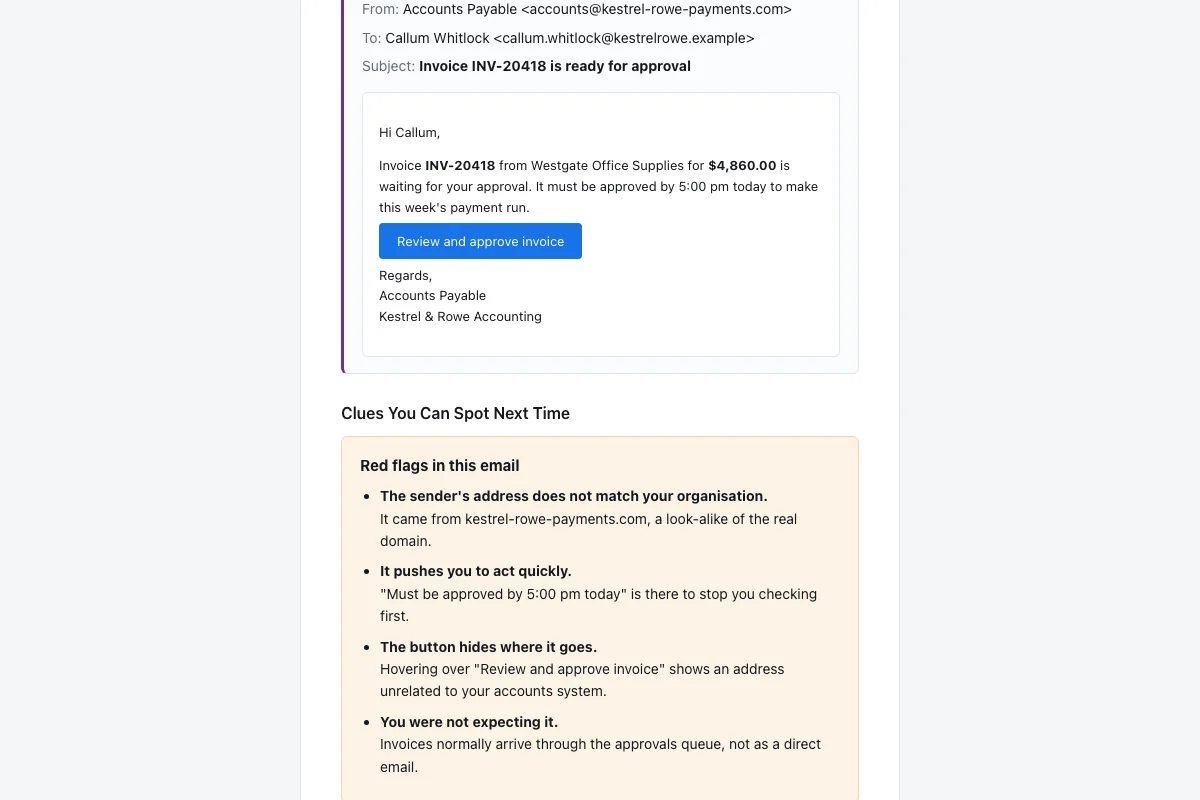
The goal is not to trick people for its own sake. Your staff know that security awareness training includes simulated phishing. The goal is to practice checking before they pay. After a click, the person sees the same email again. OutPhish lists the red flags they missed. Then they complete a short training refresher.
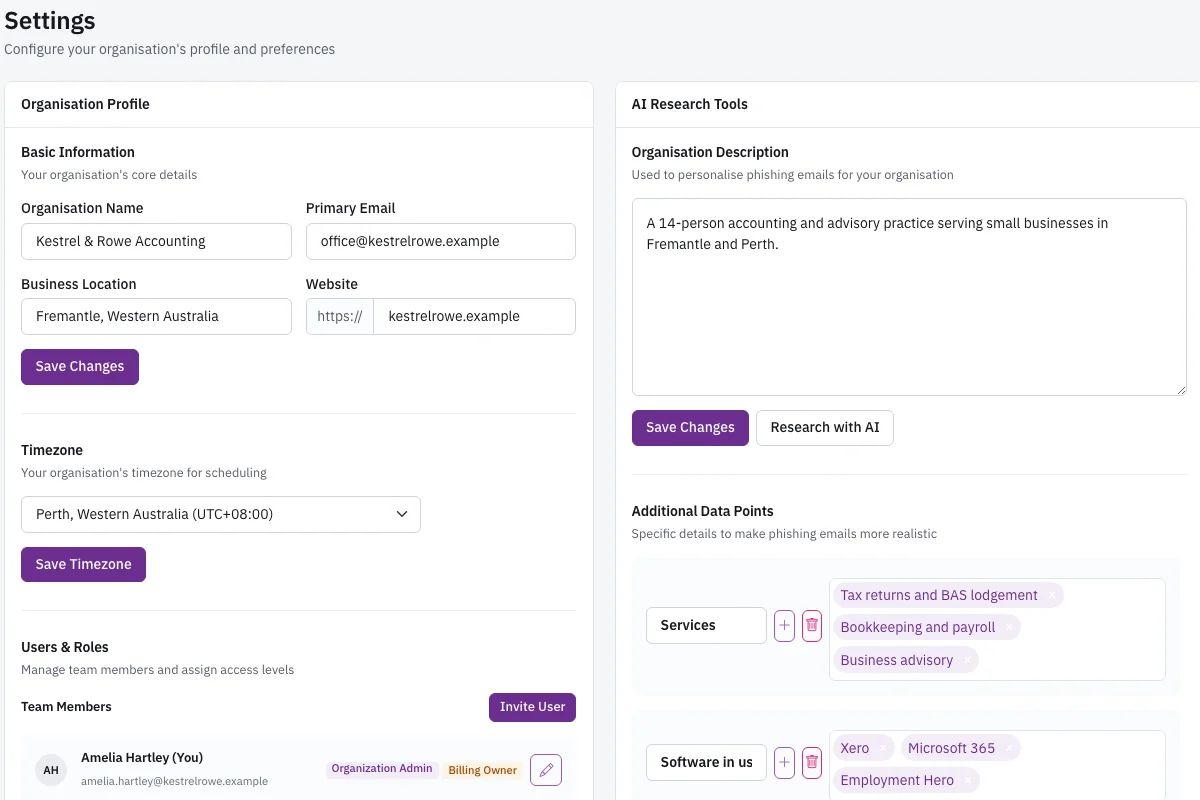
You can review the organization profile in settings. OutPhish researches your services, software, locations, and leadership. AI output can be inaccurate, so the profile is editable at all times.
How much does business email compromise training cost?
OutPhish prices business email compromise training by the number of staff you train. Teams of up to 15 staff can use the Free plan, with full platform access and no card required. From 16 to 25 staff, the cost is US$19 a month. From 26 to 50 staff, the cost is US$39 a month. From 51 to 100 staff, the cost is US$69 a month.
If you pass 100 staff, add fifty cents for each extra person to the US$69 monthly base price. For example, 150 staff costs US$94 a month. Yearly billing gives you two months free. There is no setup fee. You can cancel at any time. The plan includes training modules, certificates, reports, and audit records.
- 1 to 15 staff: Free
- 16 to 25 staff: US$19 a month
- 26 to 50 staff: US$39 a month
- 51 to 100 staff: US$69 a month
- Over 100 staff: US$69 a month plus US$0.50 per extra staff member
See the full pricing page for partner and MSP rates. If you run phishing tests for multiple clients, you can use phishing simulation for MSPs. For accounting teams, see phishing training for accounting firms.
What do you need to set up BEC training?
Setup takes a few minutes. You create an account at app.outphish.com. You can enter people one by one or upload a CSV file. You review the organization profile that OutPhish has researched from your website and other public pages. You edit anything that is wrong.
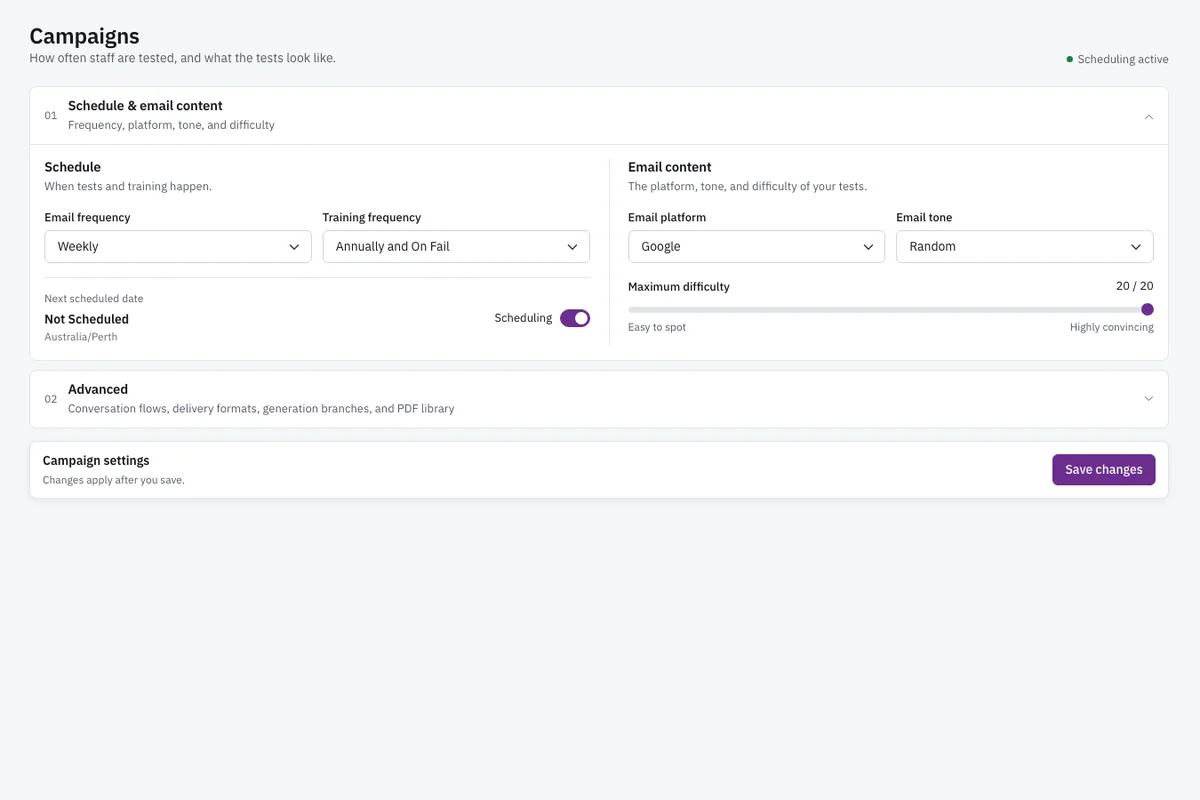
Then you add the delivery settings OutPhish provides. This whitelisting guide helps simulations reach inboxes. Email filters are outside OutPhish's control, so you need to complete this step carefully. You choose how often tests go out, such as weekly. You choose how often training is due, such as annually and after a failed simulation.
You can set the maximum difficulty. Each person's difficulty rises one step with each simulation. The difficulty goes down after a click, and it goes back to the start after a form is submitted on a simulated sign in page. You can also choose a custom sending domain if you have one.
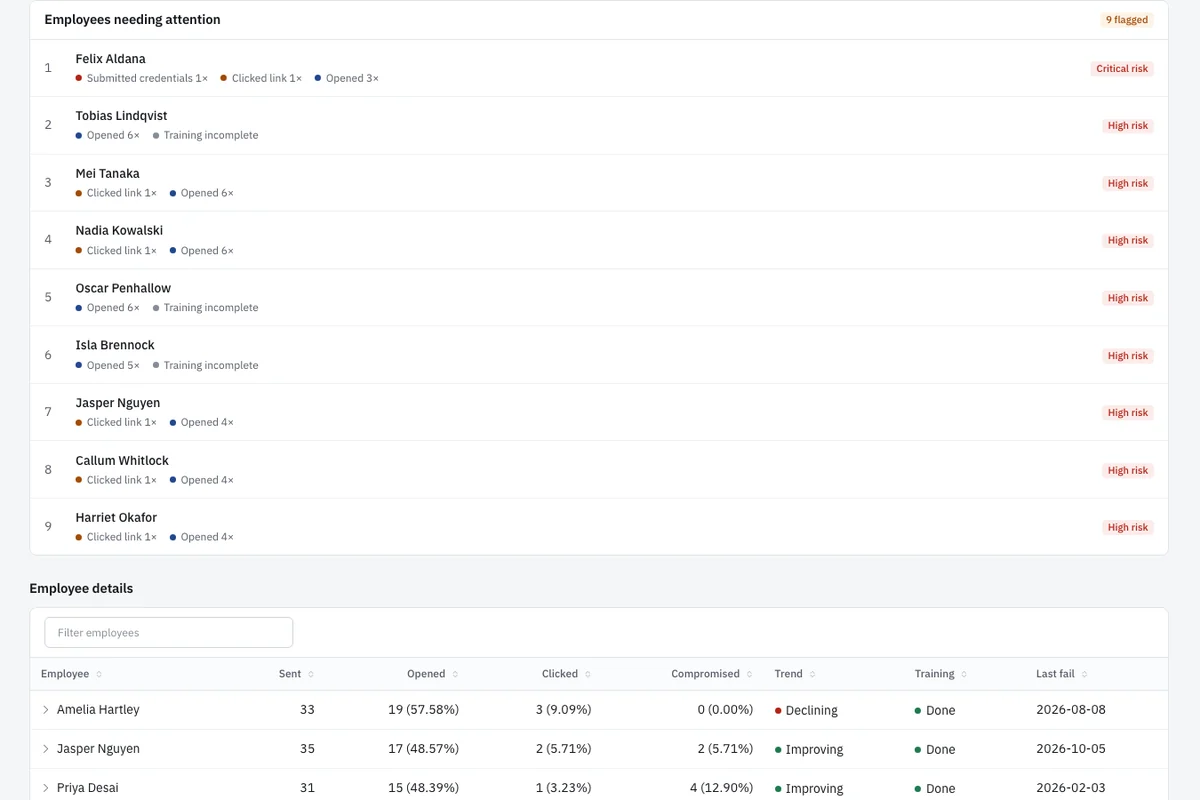
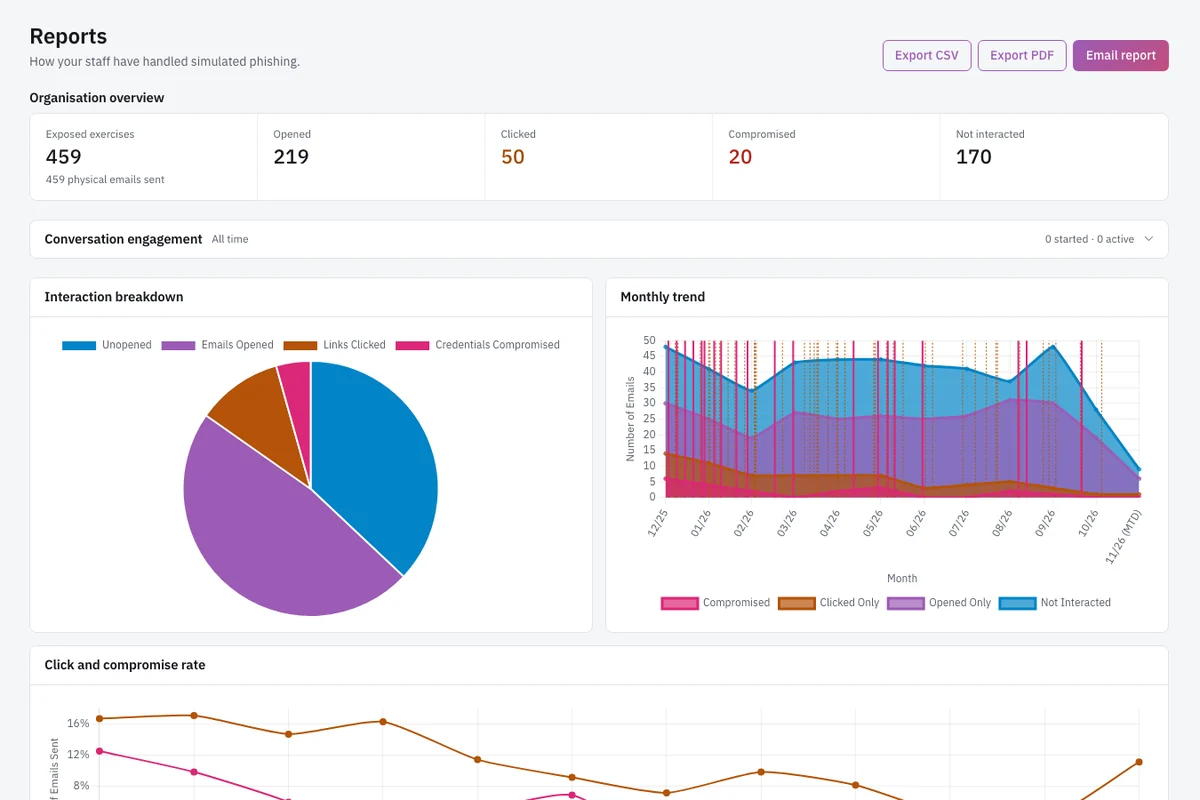
After tests run, you can review per person results. You can export reports to CSV or PDF. You can export a dated record of each employee's simulated emails and completed lessons. These records can be shared with insurers, auditors, or clients.
When someone types into a simulated sign in page, OutPhish records only the form submission. The text entered is not captured or kept.
What risks should you watch for with BEC?
Payment fraud works because it targets the normal flow of work. A fake invoice may match a real supplier's name. A bank detail change may arrive when your team is busy. A payroll diversion request may look like it comes from a staff member.
You should train staff to treat urgency and secrecy as warning signs. They should check the sender address for lookalike domains. They should confirm any payment change by phoning a number already stored in your own records. They should never call a number in the email.
Route new or changed payment details through a second reviewer. This small control can slow down the moment of payment. If money has been sent, contact your bank immediately. You should also report the incident to the FBI Internet Crime Complaint Center at ic3.gov. Your staff should know where to report real messages inside your own organization.